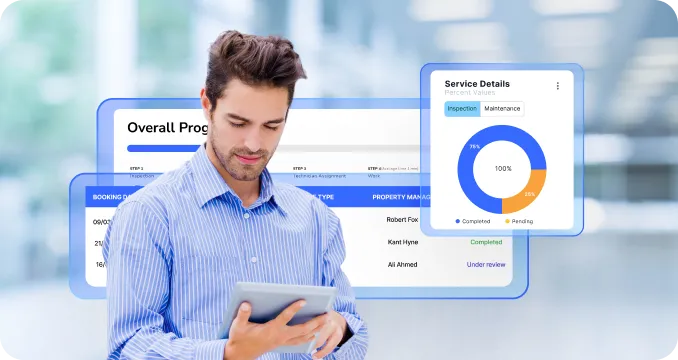
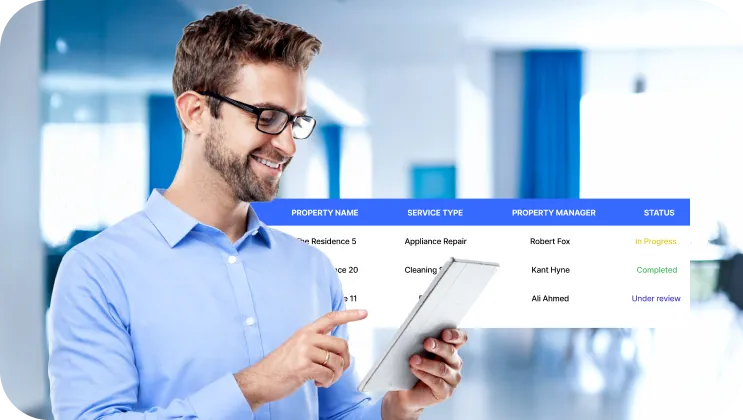
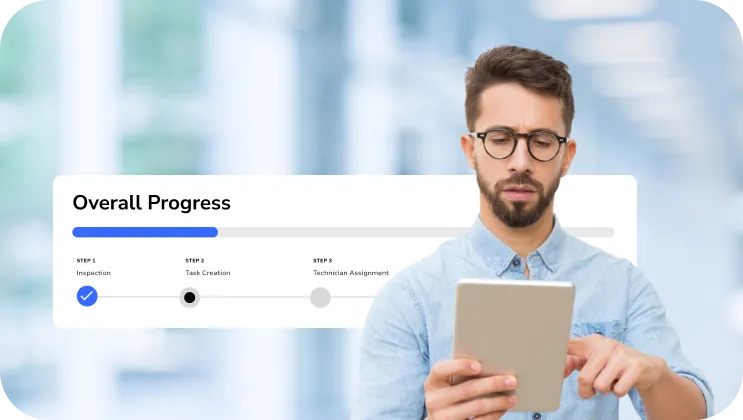
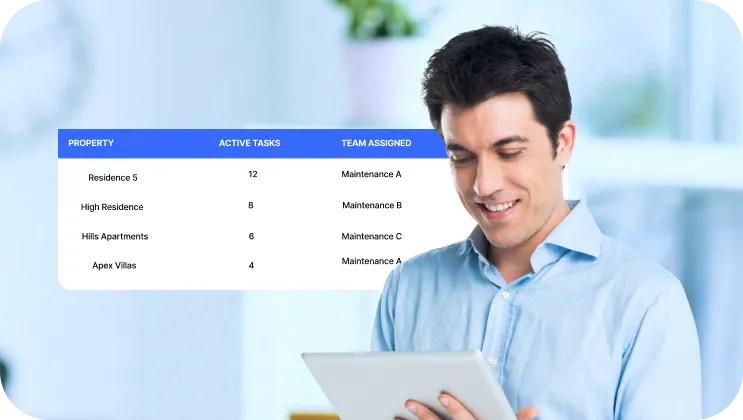
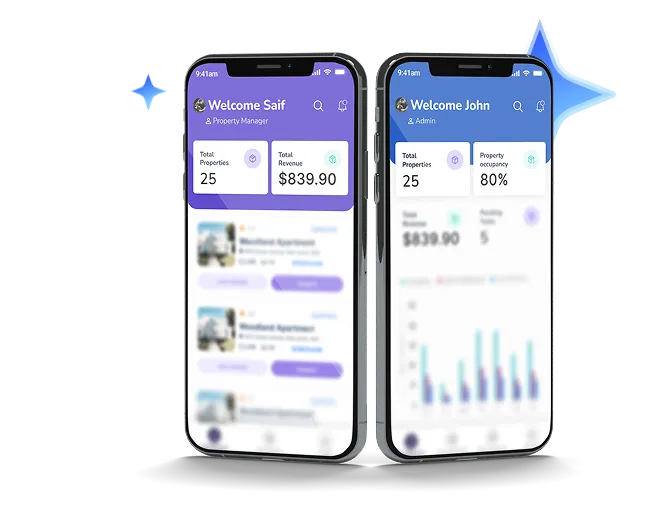
Run Your Property Management Operations in One Platform

An AI-powered, modular platform built to digitize everyday workflows.

Property Management Hero
Beema Logo
BASF Logo
Liva Logo
GIG Logo
Tata Motors Logo
Microsoft logo
Beema Logo
BASF Logo
Liva Logo
Beema Logo
BASF Logo
Liva Logo
GIG Logo
Tata Motors Logo
Microsoft logo
Beema Logo
BASF Logo
Liva Logo
Blue four-pointed star icon with a glossy highlight effect.
overview
Blue four-pointed star icon with a glossy highlight effect.

A Connected Property Management Platform for Every Stakeholder

Property Management Overview
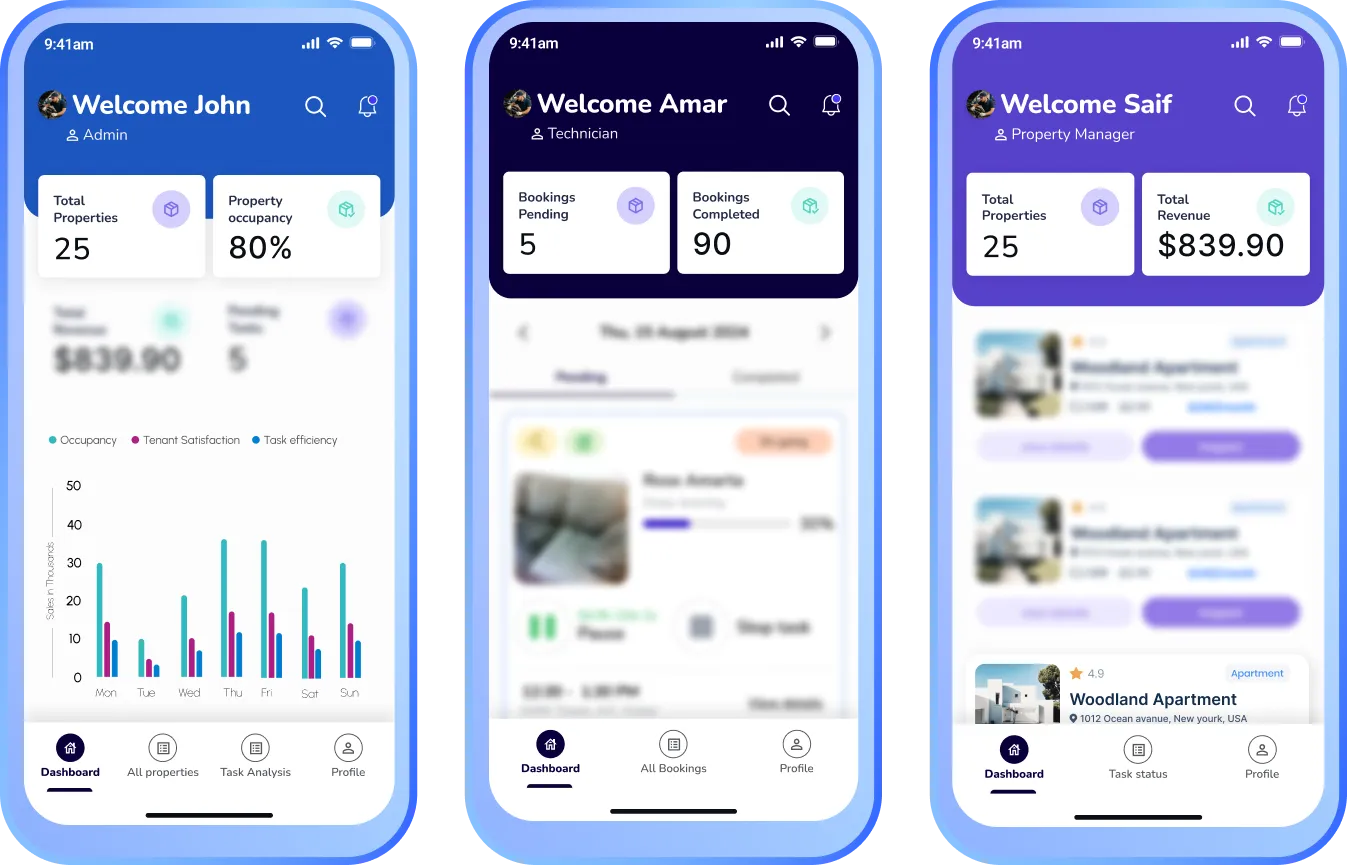
Addenda Property is an AI-powered property management and maintenance platform designed to connect administrators, property managers, and technicians inside one real-time operational ecosystem. The platform centralizes property listings, inspections, task assignments, maintenance execution, approvals, and performance tracking into a single structured workflow.
The result is a transparent and scalable property operations system built for portfolios of any size.
90%
Icon of a car with a wrench, symbolizing car repair or maintenance.White lightning bolt icon on transparent background.
Productivity boost

Faster damage detection & estimates

40%
Icon of a person wearing a hard hat with a gear symbol beside them, representing an engineer or technician.White lightning bolt icon on transparent background.
Productivity boost

more efficient technician scheduling

30%
Hand holding a coin with a dollar sign above it, symbolizing saving money.
Productivity boost

Savings on parts & ordering

20%
Icon of a dollar symbol surrounded by gears with three downward arrows below it.White lightning bolt icon on transparent background.
Productivity boost

Lower operational costs

Blue four-pointed star icon with a glossy highlight effect.
Benefits
Blue four-pointed star icon with a glossy highlight effect.

Why Property Management Teams Choose
Addenda Property

Eliminate Manual Coordination
Blue four-point star shape with the number 1 in white at the center.
Eliminate Manual Coordination

Replace spreadsheets, emails, and disconnected tools with a structured digital workflow that connects property assignments, inspections, task assignments, maintenance execution, and approvals in one system.

Increase Operational Visibility

See the status of every property and every task from one dashboard. Monitor maintenance progress, technician workload, and readiness levels without chasing updates.


Increase Operational Visibility
Blue four-pointed star icon with the number two in white at the center.
Accelerate Property Turnaround
Blue four-pointed star with a white number three in the center.
Accelerate Property Turnaround

Move from inspection to execution without delays. Automatically convert logged issues into assigned maintenance tasks to reduce vacancy time.

Improve Accountability and Quality Control

Require before-and-after photo documentation and structured approval workflows to ensure every repair meets operational standards.

Improve Accountability and Quality Control
Blue four-point star with the number 4 in white at the center.
Scale Across Properties and Teams
Blue four-pointed star with white number 5 in the center.
Scale Across Properties and Teams

Standardize operations across properties and teams while keeping full visibility and consistent performance tracking.

Blue four-pointed star icon with a glossy highlight effect.
key features
Blue four-pointed star icon with a glossy highlight effect.
Blue four-point star sparkle icon.

Built for Structured Property Operations

Blue four-pointed sparkle star icon.
Smart Mobile Inspections

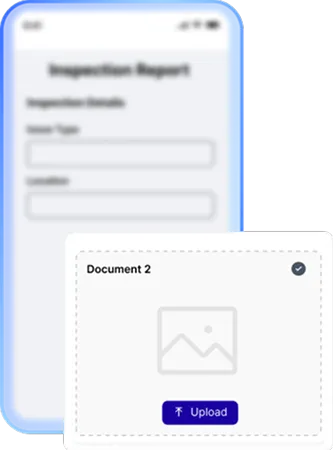
Log issues directly during property walkthroughs using mobile or tablet devices. Attach photos, add notes, and instantly generate structured maintenance tasks.
Smart Mobile Inspections Property
Blue four-pointed sparkle star icon.
Automated Task Assignment

Automatically categorize repair types and assign tasks to the appropriate technician based on skillset, availability, or location.
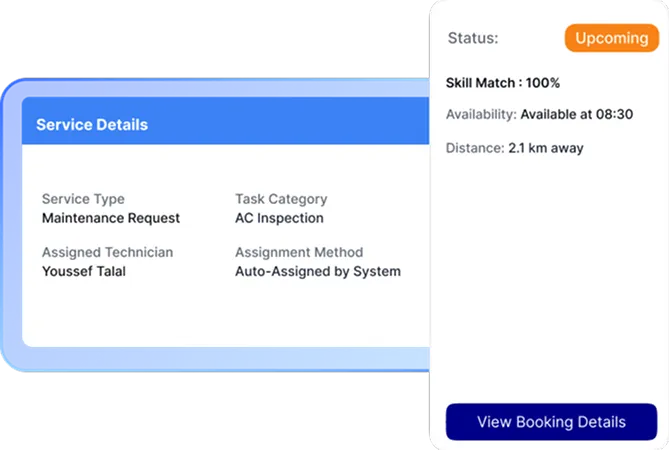
Automated Task Assignment Property
Blue four-pointed sparkle star icon.
Live Task Tracking Dashboard

Monitor every maintenance job from assignment to completion through a centralized dashboard with real-time status updates.
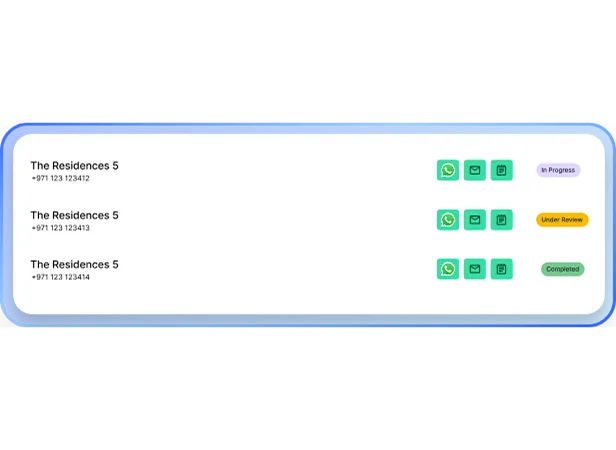
Live Task Tracking Dashboard Property
Blue four-pointed sparkle star icon.
Verification and Approval Workflow

Require technicians to upload before and after photos. Tasks are closed only after property manager approval, ensuring consistent quality standards.
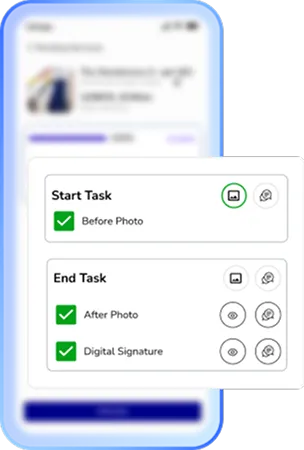
Verification and Approval Workflow Property
Blue four-pointed sparkle star icon.
Portfolio-Level Analytics

Access dashboards and KPI metrics tracking response times, technician utilization, open tasks, and overall property readiness.
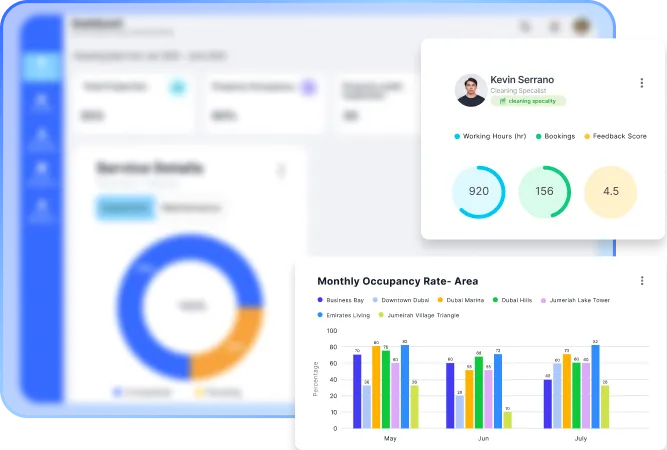
Portfolio-Level Analytics Property
Blue four-pointed sparkle star icon.
Role-Based Access Control

Provide customized access for administrators, property managers, and technicians based on responsibilities and permissions.
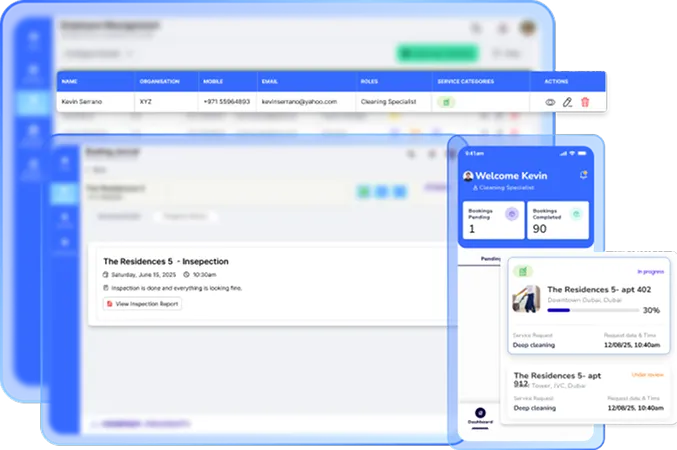
Role-Based Access Control Property
Blue four-pointed star icon with a glossy highlight effect.
How we connect with system
Blue four-pointed star icon with a glossy highlight effect.

Integrates With

Black envelope icon with an email symbol on a white background.
Email
Black speech bubble icon with the text SMS inside.
SMS
WhatsApp logo in white on a black circular background.
WhatsApp
Blue four-pointed star icon with a glossy highlight effect.
Journey
Blue four-pointed star icon with a glossy highlight effect.

From Inspection to Approved Repair in Four Steps

Once approved, the request is assigned to the appropriate garage, and the estimate is converted into a repair order.
White polygon shape composed of five connected lines forming an irregular pentagon on a black background.
Once approved, the request is assigned to the appropriate garage, and the estimate is converted into a repair order.
White polygon shape composed of five connected lines forming an irregular pentagon on a black background.
Once approved, the request is assigned to the appropriate garage, and the estimate is converted into a repair order.
White polygon shape composed of five connected lines forming an irregular pentagon on a black background.
Once approved, the request is assigned to the appropriate garage, and the estimate is converted into a repair order.
White polygon shape composed of five connected lines forming an irregular pentagon on a black background.
Once approved, the request is assigned to the appropriate garage, and the estimate is converted into a repair order.
White polygon shape composed of five connected lines forming an irregular pentagon on a black background.
Timeline with nine blue icons representing car maintenance steps including checklist, mobile inspection, cost estimation, customer approval, garage service, mechanic, repairs, remote diagnostics, and scheduled checkup.
Solid black triangle pointing upward on a white background.
Once approved, the request is assigned to the appropriate garage, and the estimate is converted into a repair order.
Solid black triangle pointing upward on a white background.
Once approved, the request is assigned to the appropriate garage, and the estimate is converted into a repair order.
Solid black triangle pointing upward on a white background.
Once approved, the request is assigned to the appropriate garage, and the estimate is converted into a repair order.
Solid black triangle pointing upward on a white background.
Once approved, the request is assigned to the appropriate garage, and the estimate is converted into a repair order.
Blue icon of a clipboard with car documents and a car in front of it.
Inspect

The Property Manager conducts a walkthrough and logs issues directly in the mobile app with photos and notes.

Smartphone with stars on screen next to a car representing taxi booking.
Assign

The system automatically categorizes the issue and dispatches the task to the appropriate technician.

Icon of a taxi car in front of a document with a dollar sign, symbolizing a taxi fare or bill.
Execute

The Technician completes the repair, uploads before and after photos, and updates the task status in real time.

Blue line icons of two people, a gear representing settings, and a hand giving a thumbs-up.
Approve

The Property Manager reviews the work digitally and approves completion or reopens the task if standards are not met.


Blue four-pointed star icon with a glossy highlight effect.
industries
Blue four-pointed star icon with a glossy highlight effect.

Industries Addenda Repair Serves

Icon of a car with sparkles representing exterior auto detailing services.
Car Detailing Centers
Blue gear icon connected to three small squares representing fleet management or organizational structure.
Fleet Operations
Icon of an auto parts store with a car under a wrench sign on the roof.
Spare Parts Shops
Blue tire icon with tread pattern details.
Tire Outlets
Icon of a car with a wrench symbol, representing car repair or maintenance.
Bodyshops & Accident Repair Center
Blue line icon of a smartphone with a gear on the screen representing settings or configuration.
OEM Service Centers
Icon of a tow truck with a wrench above it, symbolizing truck repair services.
Truck Repair Centers
Icon of a person selling a car from a dealership desk next to a car.
Dealerships
Icon of a car parked inside a garage with a triangular roof and circular window.
Car Service & Maintenance Shops
Blue icon of a car with a shield featuring a checkmark above it, symbolizing vehicle protection or insurance.
Insurance Companies
Blue line icon of a car with a key above it indicating car rental or car key access.
Car Rental Companies
Icon of a storefront with a striped awning above and two people standing below, symbolizing a franchise business.
Multi branch Garage Networks
Blue four-pointed star icon with a glossy highlight effect.
comparison
Blue four-pointed star icon with a glossy highlight effect.

How Addenda FNOL Compared to Traditional FNOL Processes

Traditional FNOL Addenda FNOL
Availability Dependency on operating hours and call center availability. 24/7 digital FNOL submission, accessible anytime from anywhere.
Speed Back-and-forth communication to complete required information. Guided digital flow completed in minutes with required data captured upfront.
Transparency Updates are shared manually through calls or emails. Real-time claim tracking with automated status notifications.
Data Quality Free-text entries and inconsistent information across channels. Structured, validated data capture with mandatory fields.
Fraud & Control Manual verification after submission. Time-stamped, geo-tagged uploads with image source identification.
Blue four-pointed star icon with a glossy highlight effect.
packages
Blue four-pointed star icon with a glossy highlight effect.

our selection of plans to identify the ideal choice  for your enterprise.

Lite
Blue heart-shaped icon with a rounded design.Black checkmark inside a white circle with a black border.
Single site, up to 50 transactions p/m
Black circular close button with a white 'X' in the center.
Launch time B2C
Blue heart-shaped icon with a rounded design.Black checkmark inside a white circle with a black border.
1 User license
Black circular close button with a white 'X' in the center.
Technician calendar
Black circular close button with a white 'X' in the center.
Customer application (Auto builder)
Black circular close button with a white 'X' in the center.
AI vehicle inspection
Standard
Blue heart-shaped icon with a rounded design.Black checkmark inside a white circle with a black border.
Single Site, up to 100 transactions p/m
Blue heart-shaped icon with a rounded design.Black checkmark inside a white circle with a black border.
2 Weeks Launch time B2C
Blue heart-shaped icon with a rounded design.Black checkmark inside a white circle with a black border.
Up to 5 user licenses
Black circular close button with a white 'X' in the center.
Technician calendar
Blue heart-shaped icon with a rounded design.Black checkmark inside a white circle with a black border.
Customer application (Auto builder)
Blue heart-shaped icon with a rounded design.Black checkmark inside a white circle with a black border.
AI vehicle inspection
Professional
Blue heart-shaped icon with a rounded design.Black checkmark inside a white circle with a black border.
Single site, up to 250 transactions p/m
Blue heart-shaped icon with a rounded design.Black checkmark inside a white circle with a black border.
2 Weeks Launch time B2C
Blue heart-shaped icon with a rounded design.Black checkmark inside a white circle with a black border.
Up to 5 user licenses
Blue heart-shaped icon with a rounded design.Black checkmark inside a white circle with a black border.
Technician calendar
Blue heart-shaped icon with a rounded design.Black checkmark inside a white circle with a black border.
Customer application (Auto builder)
Blue heart-shaped icon with a rounded design.Black circular close button with a white 'X' in the center.
AI vehicle inspection
Premium
Blue heart-shaped icon with a rounded design.Black checkmark inside a white circle with a black border.
Multi site operators
Blue heart-shaped icon with a rounded design.Black checkmark inside a white circle with a black border.
TBA Launch time B2C
Blue heart-shaped icon with a rounded design.Black checkmark inside a white circle with a black border.
Up to 10 user licenses
Blue heart-shaped icon with a rounded design.Black checkmark inside a white circle with a black border.
Unlimited technician calendar
Blue heart-shaped icon with a rounded design.Black checkmark inside a white circle with a black border.
Customer application (Auto builder)
Blue heart-shaped icon with a rounded design.Black checkmark inside a white circle with a black border.
AI vehicle inspection
Blue four-pointed star icon with a glossy highlight effect.
testimonials
Blue four-pointed star icon with a glossy highlight effect.

what our clients say

Central user icon connected by circular lines to four surrounding user icons, symbolizing network or communication.
Five blue stars in a horizontal row.

Addenda Property transformed how we manage inspections and repairs. What used to take days of coordination now happens in a single workflow.

Operations Director, Residential Portfolio
Blue to white gradient background with a thick black quarter circle shape in the bottom left corner.
Five blue stars in a horizontal row.

The approval and photo verification process has significantly improved accountability across our maintenance teams.

Senior Property Manager, Multi-Site Housing Group
Blue to white gradient background with a thick black quarter circle shape in the bottom left corner.
Five blue stars in a horizontal row.

We reduced vacancy turnaround time by streamlining inspections and dispatch. The visibility across properties has been a game changer.

Head of Asset Management, Real Estate Investment Firm
Blue to white gradient background with a thick black quarter circle shape in the bottom left corner.
Blue four-pointed star icon with a glossy highlight effect.
FAQs
Blue four-pointed star icon with a glossy highlight effect.

Answers to Your Most Common Questions

1.
What is Addenda Property?
Addenda Property is an AI-powered property management platform that connects administrators, property managers, and technicians in one system to streamline inspections, maintenance, and approvals.
2.
Who can use Addenda Property?
The platform is designed for administrators, property managers, and technicians, supporting portfolios of any size and type.
3.
How does Addenda Property improve operational efficiency?
By replacing spreadsheets and disconnected tools, Addenda Property centralizes inspections, tasks, maintenance, and approvals in a single workflow.
4.
Can I track maintenance tasks in real time?
Yes. The live task tracking dashboard provides real-time updates from assignment to completion, allowing full visibility across all properties.
5.
How does Addenda Property ensure quality and accountability?
Technicians are required to upload before-and-after photos, and tasks are only closed after manager approval, maintaining consistent standards.
6.
Can I monitor performance across multiple properties?
Yes. Addenda Property provides portfolio-level analytics with KPIs like response times, technician utilization, open tasks, and overall property readiness.
7.
Can I view maintenance history for any property?
Yes. The platform stores historical data for inspections, repairs, and approvals, helping with reporting and planning.
8.
Does the Addenda Property support mobile operations?
Yes. Addenda Property is mobile-friendly, allowing technicians and managers to log, track, and approve tasks directly from smartphones or tablets.
9.
Do you provide onboarding and training? 
Yes. We provide structured onboarding and training to ensure your team can effectively utilize the platform from day one. 
10.
How much will its Addenda Property per month? 
Pricing depends on your business size and operational requirements. Our sales team can provide a customized plan based on your needs. 
1.
What technologies do you specialize in?
We work with React, Node.js, Python, Flutter, AWS, MongoDB, and more — covering web, mobile, cloud, and AI.
2.
What technologies do you specialize in?
We work with React, Node.js, Python, Flutter, AWS, MongoDB, and more — covering web, mobile, cloud, and AI.
3.
What technologies do you specialize in?
We work with React, Node.js, Python, Flutter, AWS, MongoDB, and more — covering web, mobile, cloud, and AI.
4.
What technologies do you specialize in?
We work with React, Node.js, Python, Flutter, AWS, MongoDB, and more — covering web, mobile, cloud, and AI.
1.
What technologies do you specialize in?
We work with React, Node.js, Python, Flutter, AWS, MongoDB, and more — covering web, mobile, cloud, and AI.
2.
What technologies do you specialize in?
We work with React, Node.js, Python, Flutter, AWS, MongoDB, and more — covering web, mobile, cloud, and AI.
3.
What technologies do you specialize in?
We work with React, Node.js, Python, Flutter, AWS, MongoDB, and more — covering web, mobile, cloud, and AI.
4.
What technologies do you specialize in?
We work with React, Node.js, Python, Flutter, AWS, MongoDB, and more — covering web, mobile, cloud, and AI.
1.
What technologies do you specialize in?
We work with React, Node.js, Python, Flutter, AWS, MongoDB, and more — covering web, mobile, cloud, and AI.
2.
What technologies do you specialize in?
We work with React, Node.js, Python, Flutter, AWS, MongoDB, and more — covering web, mobile, cloud, and AI.
3.
What technologies do you specialize in?
We work with React, Node.js, Python, Flutter, AWS, MongoDB, and more — covering web, mobile, cloud, and AI.
4.
What technologies do you specialize in?
We work with React, Node.js, Python, Flutter, AWS, MongoDB, and more — covering web, mobile, cloud, and AI.
1.
What technologies do you specialize in?
We work with React, Node.js, Python, Flutter, AWS, MongoDB, and more — covering web, mobile, cloud, and AI.
2.
What technologies do you specialize in?
We work with React, Node.js, Python, Flutter, AWS, MongoDB, and more — covering web, mobile, cloud, and AI.
3.
What technologies do you specialize in?
We work with React, Node.js, Python, Flutter, AWS, MongoDB, and more — covering web, mobile, cloud, and AI.
4.
What technologies do you specialize in?
We work with React, Node.js, Python, Flutter, AWS, MongoDB, and more — covering web, mobile, cloud, and AI.

Streamline Property Inspections and Maintenance with Addenda Property

Blue star-shaped sparkle icon with light rays.

book a demo

Property management CTA
Illustration of a person wearing a hat and glasses facing a retro computer displaying code symbols and a profile image on the screen.
Ready to Digitize Your Business?

Book a personalized demo to explore how can Addenda help you digitize your operations.

Valid number
Terms & Conditions
Thank you for submitting a request for demo, Our team will reach out to you for scheduling demo at your convenient time
Oops! Something went wrong while submitting the form.
Blue three-pointed star with a gradient from light to darker blue.