Simplify On-Demand Services
and Facility Operations

An AI-powered, modular platform built to digitize everyday workflows.

Addenda Servscape Hero
Beema Logo
BASF Logo
Liva Logo
GIG Logo
Tata Motors Logo
Microsoft logo
Beema Logo
BASF Logo
Liva Logo
Beema Logo
BASF Logo
Liva Logo
GIG Logo
Tata Motors Logo
Microsoft logo
Beema Logo
BASF Logo
Liva Logo
Blue four-pointed star icon with a glossy highlight effect.
overview
Blue four-pointed star icon with a glossy highlight effect.

Your All-in-One Platform for On-Demand and Facility Services

Addenda Servescape Overview
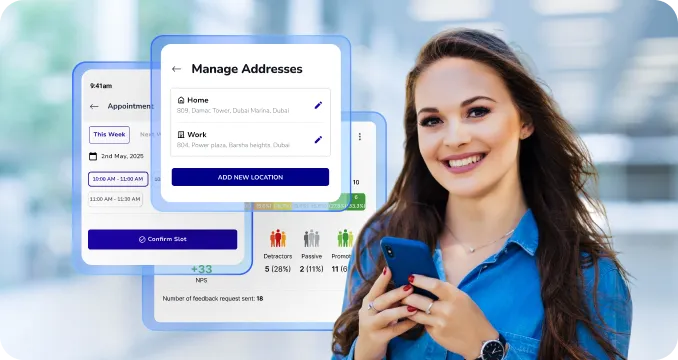
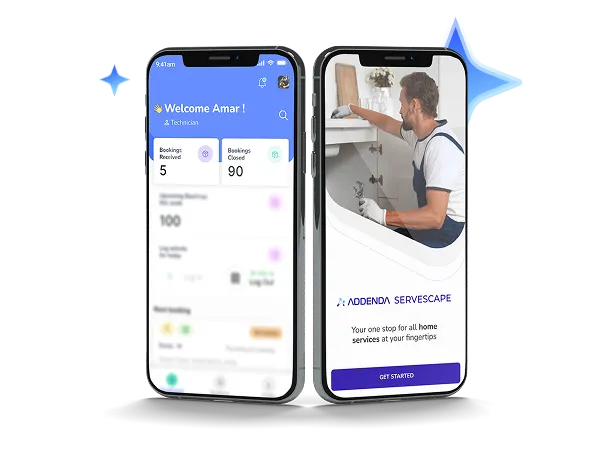
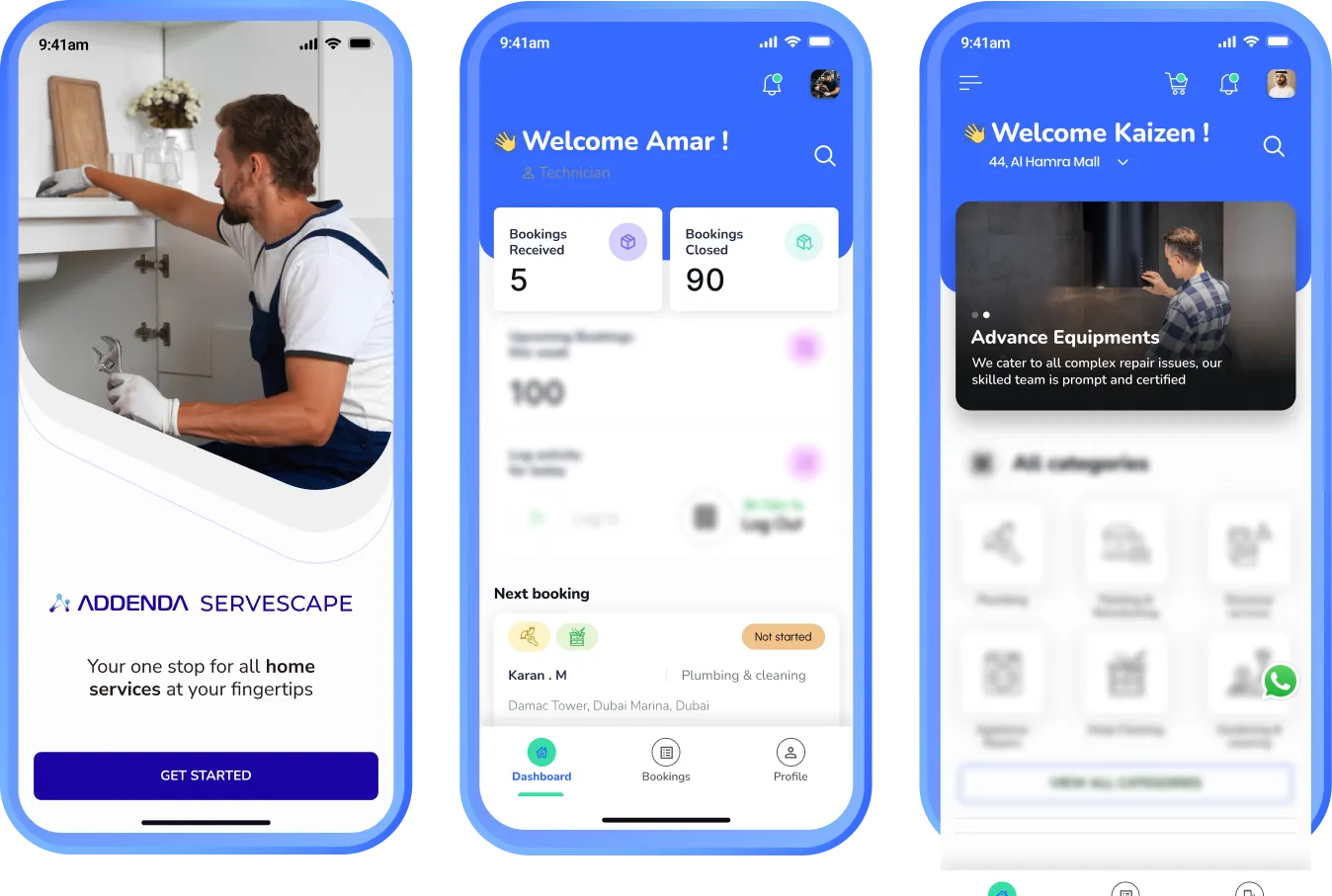
Addenda ServeScape is a digital platform designed to help businesses manage and deliver services more efficiently. It brings together customers, service teams, and operations in one centralized system, simplifying service requests, scheduling, technician coordination, and performance monitoring.

The platform is fully customizable and scalable, allowing organizations to operate their services under their own brand identity while maintaining complete visibility and control over service delivery. Whether managing facility maintenance, on-demand services, or multi-location operations, Addenda ServeScape helps businesses modernize service management and unlock new growth opportunities.
90%
Icon of a car with a wrench, symbolizing car repair or maintenance.White lightning bolt icon on transparent background.
Productivity boost

Faster damage detection & estimates

40%
Icon of a person wearing a hard hat with a gear symbol beside them, representing an engineer or technician.White lightning bolt icon on transparent background.
Productivity boost

more efficient technician scheduling

30%
Hand holding a coin with a dollar sign above it, symbolizing saving money.
Productivity boost

Savings on parts & ordering

20%
Icon of a dollar symbol surrounded by gears with three downward arrows below it.White lightning bolt icon on transparent background.
Productivity boost

Lower operational costs

Blue four-pointed star icon with a glossy highlight effect.
BENEFITS
Blue four-pointed star icon with a glossy highlight effect.

Modernize Service Delivery with Addenda ServeScape

Strengthen Your Brand Presence
Blue four-point star shape with the number 1 in white at the center.
Strengthen Your Brand Presence

Launch and operate services under your own brand with a fully customizable white-label platform that delivers a consistent digital experience.

Streamline Service Operations

Simplify service requests, scheduling, and technician coordination through a centralized system that reduces manual work and improves efficiency.


Streamline Service Operations
Blue four-pointed star icon with the number two in white at the center.
Gain Complete Operational Visibility
Blue four-pointed star with a white number three in the center.
Gain Complete Operational Visibility

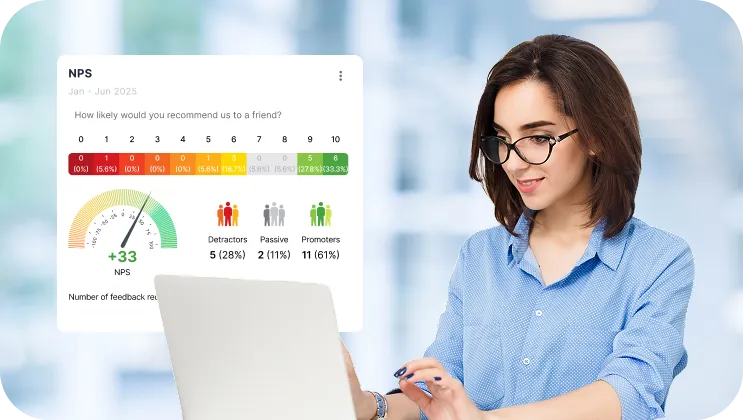
Monitor service performance, technician activity, and demand through real-time dashboards and actionable insights.

Scale Your Service Business

Expand services, onboard providers, and manage multiple locations while maintaining full control over operations.
Scale Your Service BusinessBlue four-point star with the number 4 in white at the center.
Blue four-pointed star icon with a glossy highlight effect.
key features
Blue four-pointed star icon with a glossy highlight effect.
Blue four-point star sparkle icon.

Everything You Need to Run
On-Demand Services

Blue four-pointed sparkle star icon.
Smart Booking

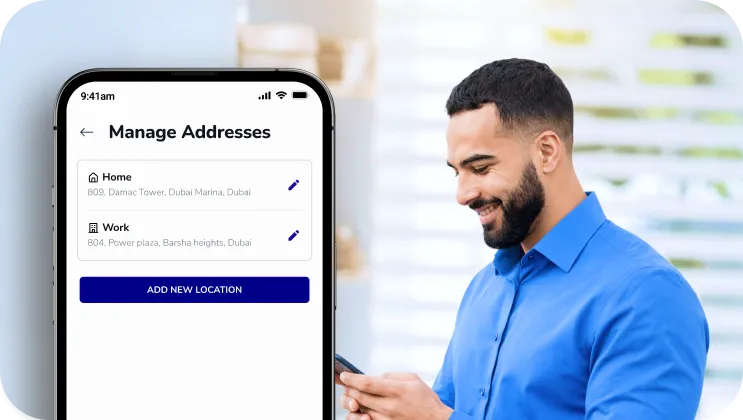
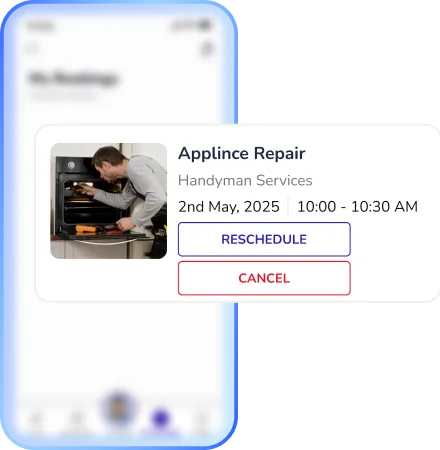
Allow customers to easily browse services, select time slots, and schedule appointments through a seamless booking system.
Smart Booking
Blue four-pointed sparkle star icon.
AI-Powered Assistant

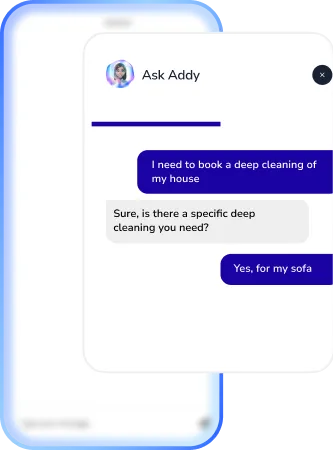
Provide instant support with an AI agent that helps customers discover services, answer questions, and guide them through the booking process.
AI Powered Assistant
Blue four-pointed sparkle star icon.
Technician & Workforce Management

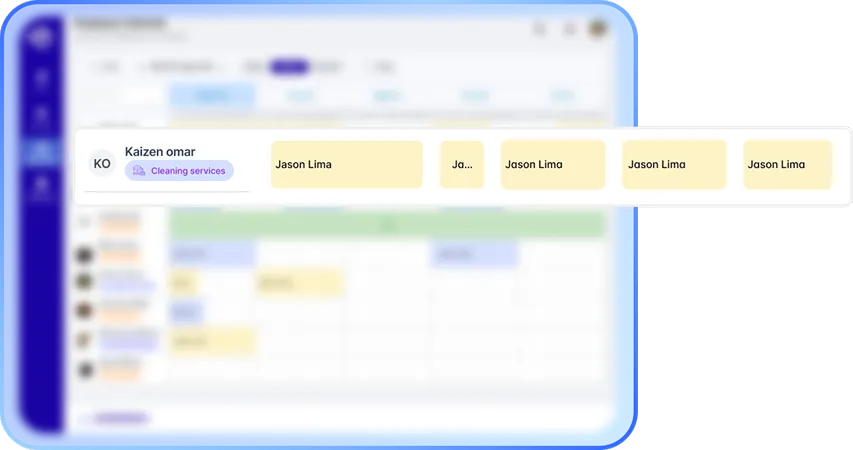
Assign jobs, manage technician schedules, and coordinate service teams efficiently from a one platform.
Technician & Workforce Management
Blue four-pointed sparkle star icon.
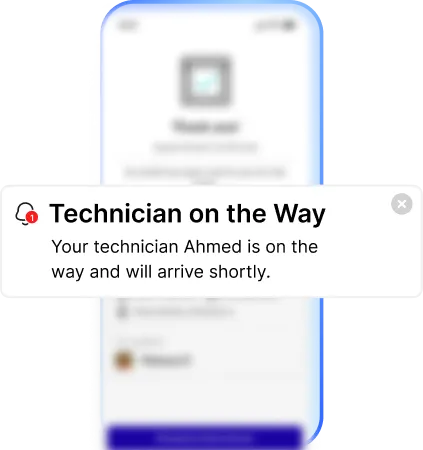
Smart Notifications & Reminders

Automatically notify customers and service teams about booking confirmations, schedule updates, upcoming appointments, and service status changes to keep everyone aligned.
Smart Notifications & Reminders
Blue four-pointed sparkle star icon.
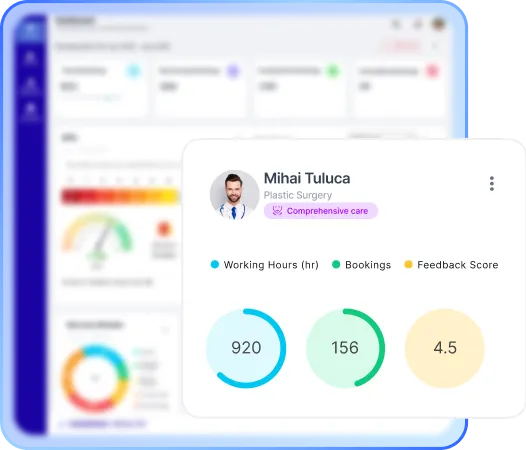
Real-Time Analytics & Operational Dashboard

Monitor bookings, technician performance, and service demand with real-time insights to optimize operations.
Real-Time Analytics & Operational Dashboard
Blue four-pointed star icon with a glossy highlight effect.
How we connect with system
Blue four-pointed star icon with a glossy highlight effect.

Integrates With

Black envelope icon with an email symbol on a white background.
Email
Black speech bubble icon with the text SMS inside.
SMS
WhatsApp logo in white on a black circular background.
WhatsApp
Blue four-pointed star icon with a glossy highlight effect.
Journey
Blue four-pointed star icon with a glossy highlight effect.

From First Customer Connect to Final Vehicle Delivery

Once approved, the request is assigned to the appropriate garage, and the estimate is converted into a repair order.
White polygon shape composed of five connected lines forming an irregular pentagon on a black background.
Once approved, the request is assigned to the appropriate garage, and the estimate is converted into a repair order.
White polygon shape composed of five connected lines forming an irregular pentagon on a black background.
Once approved, the request is assigned to the appropriate garage, and the estimate is converted into a repair order.
White polygon shape composed of five connected lines forming an irregular pentagon on a black background.
Once approved, the request is assigned to the appropriate garage, and the estimate is converted into a repair order.
White polygon shape composed of five connected lines forming an irregular pentagon on a black background.
Once approved, the request is assigned to the appropriate garage, and the estimate is converted into a repair order.
White polygon shape composed of five connected lines forming an irregular pentagon on a black background.
Timeline with nine blue icons representing car maintenance steps including checklist, mobile inspection, cost estimation, customer approval, garage service, mechanic, repairs, remote diagnostics, and scheduled checkup.
Solid black triangle pointing upward on a white background.
Once approved, the request is assigned to the appropriate garage, and the estimate is converted into a repair order.
Solid black triangle pointing upward on a white background.
Once approved, the request is assigned to the appropriate garage, and the estimate is converted into a repair order.
Solid black triangle pointing upward on a white background.
Once approved, the request is assigned to the appropriate garage, and the estimate is converted into a repair order.
Solid black triangle pointing upward on a white background.
Once approved, the request is assigned to the appropriate garage, and the estimate is converted into a repair order.
Blue icon of a clipboard with car documents and a car in front of it.
Capture

Customers complete the inspection through a mobile app or secure web link, uploading guided vehicle photos and required documents.

Smartphone with stars on screen next to a car representing taxi booking.
Analyze

AI reviews the submitted images to identify visible damage, validate key vehicle details, and highlight any inconsistencies.

Icon of a taxi car in front of a document with a dollar sign, symbolizing a taxi fare or bill.
Review

Underwriters receive verified images, documents, and AI findings. All data is timestamped, geo-tagged, and ready for fast, confident decision-making.

Blue four-pointed star icon with a glossy highlight effect.
industries
Blue four-pointed star icon with a glossy highlight effect.

Industries Addenda Repair Serves

Icon of a car with sparkles representing exterior auto detailing services.
Car Detailing Centers
Blue gear icon connected to three small squares representing fleet management or organizational structure.
Fleet Operations
Icon of an auto parts store with a car under a wrench sign on the roof.
Spare Parts Shops
Blue tire icon with tread pattern details.
Tire Outlets
Icon of a car with a wrench symbol, representing car repair or maintenance.
Bodyshops & Accident Repair Center
Blue line icon of a smartphone with a gear on the screen representing settings or configuration.
OEM Service Centers
Icon of a tow truck with a wrench above it, symbolizing truck repair services.
Truck Repair Centers
Icon of a person selling a car from a dealership desk next to a car.
Dealerships
Icon of a car parked inside a garage with a triangular roof and circular window.
Car Service & Maintenance Shops
Blue icon of a car with a shield featuring a checkmark above it, symbolizing vehicle protection or insurance.
Insurance Companies
Blue line icon of a car with a key above it indicating car rental or car key access.
Car Rental Companies
Icon of a storefront with a striped awning above and two people standing below, symbolizing a franchise business.
Multi branch Garage Networks
Blue four-pointed star icon with a glossy highlight effect.
comparison
Blue four-pointed star icon with a glossy highlight effect.

How Addenda Repair Compared to Standard Workshop Software

Capability Addenda Repair Standard Workshop Software
Job and Workflow Management blue-tick blue-tick
Technician Scheduling blue-tick blue-tick
Basic Inventory Management blue-tick blue-tick
Invoicing and Billing blue-tick blue-tick
Digital Vehicle Inspections blue-tick Limited
AI Powered Damage Detection blue-tick wrong-cross
Automatic Vehicle Data Extraction (VIN) blue-tick Limited
Real Time Operational Dashboards blue-tick Limited
Job Linked Parts and Stock Tracking blue-tick Limited
Configurable Workflows blue-tick wrong-cross
Web and Mobile Access blue-tick Limited
Multi Location Workshop Support blue-tick Limited
Modular Add Ons and Scalability blue-tick wrong-cross
Blue four-pointed star icon with a glossy highlight effect.
packages
Blue four-pointed star icon with a glossy highlight effect.

our selection of plans to identify the ideal choice  for your enterprise.

Lite
Blue heart-shaped icon with a rounded design.Black checkmark inside a white circle with a black border.
Single site, up to 50 transactions p/m
Black circular close button with a white 'X' in the center.
Launch time B2C
Blue heart-shaped icon with a rounded design.Black checkmark inside a white circle with a black border.
1 User license
Black circular close button with a white 'X' in the center.
Technician calendar
Black circular close button with a white 'X' in the center.
Customer application (Auto builder)
Black circular close button with a white 'X' in the center.
AI vehicle inspection
Standard
Blue heart-shaped icon with a rounded design.Black checkmark inside a white circle with a black border.
Single Site, up to 100 transactions p/m
Blue heart-shaped icon with a rounded design.Black checkmark inside a white circle with a black border.
2 Weeks Launch time B2C
Blue heart-shaped icon with a rounded design.Black checkmark inside a white circle with a black border.
Up to 5 user licenses
Black circular close button with a white 'X' in the center.
Technician calendar
Blue heart-shaped icon with a rounded design.Black checkmark inside a white circle with a black border.
Customer application (Auto builder)
Blue heart-shaped icon with a rounded design.Black checkmark inside a white circle with a black border.
AI vehicle inspection
Professional
Blue heart-shaped icon with a rounded design.Black checkmark inside a white circle with a black border.
Single site, up to 250 transactions p/m
Blue heart-shaped icon with a rounded design.Black checkmark inside a white circle with a black border.
2 Weeks Launch time B2C
Blue heart-shaped icon with a rounded design.Black checkmark inside a white circle with a black border.
Up to 5 user licenses
Blue heart-shaped icon with a rounded design.Black checkmark inside a white circle with a black border.
Technician calendar
Blue heart-shaped icon with a rounded design.Black checkmark inside a white circle with a black border.
Customer application (Auto builder)
Blue heart-shaped icon with a rounded design.Black circular close button with a white 'X' in the center.
AI vehicle inspection
Premium
Blue heart-shaped icon with a rounded design.Black checkmark inside a white circle with a black border.
Multi site operators
Blue heart-shaped icon with a rounded design.Black checkmark inside a white circle with a black border.
TBA Launch time B2C
Blue heart-shaped icon with a rounded design.Black checkmark inside a white circle with a black border.
Up to 10 user licenses
Blue heart-shaped icon with a rounded design.Black checkmark inside a white circle with a black border.
Unlimited technician calendar
Blue heart-shaped icon with a rounded design.Black checkmark inside a white circle with a black border.
Customer application (Auto builder)
Blue heart-shaped icon with a rounded design.Black checkmark inside a white circle with a black border.
AI vehicle inspection
Blue four-pointed star icon with a glossy highlight effect.
testimonials
Blue four-pointed star icon with a glossy highlight effect.

Hear It from Our Clients

Central user icon connected by circular lines to four surrounding user icons, symbolizing network or communication.
Five blue stars in a horizontal row.

With real-time dashboards and structured service workflows, we now have clear visibility into technician activity and service performance across all locations.

Service Operations Director
Blue to white gradient background with a thick black quarter circle shape in the bottom left corner.
Five blue stars in a horizontal row.

Managing multiple service teams used to be complex. ServeScape helped us streamline scheduling, assign jobs efficiently, and keep operations organized.

Field Service Manager
Five blue stars in a horizontal row.

The white-label platform allowed us to launch our own branded service app without building everything from scratch. It helped us deliver a modern digital experience to our customers.

Head of Digital Services
Blue four-pointed star icon with a glossy highlight effect.
FAQs
Blue four-pointed star icon with a glossy highlight effect.

Answers to Your Most Common Questions

1.
What is Addenda ServeScape?
Addenda ServeScape is a digital platform designed to help businesses manage and deliver services more efficiently. It connects customers, service teams, and operations in one centralized system, simplifying service requests, scheduling, technician coordination, and performance monitoring.
2.
Who can use Addenda ServeScape?
Addenda ServeScape is designed for service-based businesses such as on-demand service providers, facility management companies, and organizations managing field technicians. It also provides a convenient mobile experience for customers to discover, book, and track services.
3.
What types of services can be managed with Addenda ServeScape?
The platform can support a wide range of services including facility maintenance, cleaning, plumbing, electrical services, appliance repair, gardening, and other on-demand services. Businesses can configure the platform to match the services they provide.
4.
Can businesses launch the platform under their own brand?
Yes. Addenda ServeScape can be deployed as a white-label platform, allowing businesses to operate the service application under their own brand identity while Addenda powers the technology behind it.
5.
How does Addenda ServeScape help manage technicians and service teams?
The platform provides tools to assign service requests, manage technician schedules, track job progress, and coordinate field teams. This helps service businesses organize operations and ensure technicians receive the right jobs at the right time.
6.
Does Addenda ServeScape support automated notifications?
Yes. The platform sends automated notifications and reminders to customers and service teams about booking confirmations, appointment updates, service status changes, and upcoming visits.
7.
Does Addenda ServeScape include AI capabilities?
Yes. Addenda ServeScape includes an AI-powered assistant that helps customers discover services, answer questions, and guide them through the booking process. Additionally, manage and track service booking appointments, guide users on service selection based on their request/issues
8.
Can businesses monitor service performance and demand?
Yes. Addenda ServeScape includes real-time dashboards that provide visibility into service bookings, technician activity, operational performance, and customer demand.
9.
How can businesses get started with Addenda ServeScape?
Organizations can request a demo to explore how Addenda ServeScape can support their service operations and help them launch or scale their digital service platform.
1.
What technologies do you specialize in?
We work with React, Node.js, Python, Flutter, AWS, MongoDB, and more — covering web, mobile, cloud, and AI.
2.
What technologies do you specialize in?
We work with React, Node.js, Python, Flutter, AWS, MongoDB, and more — covering web, mobile, cloud, and AI.
3.
What technologies do you specialize in?
We work with React, Node.js, Python, Flutter, AWS, MongoDB, and more — covering web, mobile, cloud, and AI.
4.
What technologies do you specialize in?
We work with React, Node.js, Python, Flutter, AWS, MongoDB, and more — covering web, mobile, cloud, and AI.
1.
What technologies do you specialize in?
We work with React, Node.js, Python, Flutter, AWS, MongoDB, and more — covering web, mobile, cloud, and AI.
2.
What technologies do you specialize in?
We work with React, Node.js, Python, Flutter, AWS, MongoDB, and more — covering web, mobile, cloud, and AI.
3.
What technologies do you specialize in?
We work with React, Node.js, Python, Flutter, AWS, MongoDB, and more — covering web, mobile, cloud, and AI.
4.
What technologies do you specialize in?
We work with React, Node.js, Python, Flutter, AWS, MongoDB, and more — covering web, mobile, cloud, and AI.
1.
What technologies do you specialize in?
We work with React, Node.js, Python, Flutter, AWS, MongoDB, and more — covering web, mobile, cloud, and AI.
2.
What technologies do you specialize in?
We work with React, Node.js, Python, Flutter, AWS, MongoDB, and more — covering web, mobile, cloud, and AI.
3.
What technologies do you specialize in?
We work with React, Node.js, Python, Flutter, AWS, MongoDB, and more — covering web, mobile, cloud, and AI.
4.
What technologies do you specialize in?
We work with React, Node.js, Python, Flutter, AWS, MongoDB, and more — covering web, mobile, cloud, and AI.
1.
What technologies do you specialize in?
We work with React, Node.js, Python, Flutter, AWS, MongoDB, and more — covering web, mobile, cloud, and AI.
2.
What technologies do you specialize in?
We work with React, Node.js, Python, Flutter, AWS, MongoDB, and more — covering web, mobile, cloud, and AI.
3.
What technologies do you specialize in?
We work with React, Node.js, Python, Flutter, AWS, MongoDB, and more — covering web, mobile, cloud, and AI.
4.
What technologies do you specialize in?
We work with React, Node.js, Python, Flutter, AWS, MongoDB, and more — covering web, mobile, cloud, and AI.

Ready to Launch Your Own Branded Service Platform?

Blue star-shaped sparkle icon with light rays.

book a demo

Servescape CTA
Illustration of a person wearing a hat and glasses facing a retro computer displaying code symbols and a profile image on the screen.
Ready to Digitize Your Business?

Book a personalized demo to explore how can Addenda help you digitize your operations.

Valid number
Terms & Conditions
Thank you for submitting a request for demo, Our team will reach out to you for scheduling demo at your convenient time
Oops! Something went wrong while submitting the form.
Blue three-pointed star with a gradient from light to darker blue.